Hello! I’ve prepared a new build for you. But, before I present you with a changelog listing out all of the additions/fixes/improvements, I would first like to share some amazing cosplay with you!
Recently, a large group of cosplayers (over 12 people in total!) cosplayed as Ayano, Taro, and all 10 rivals!
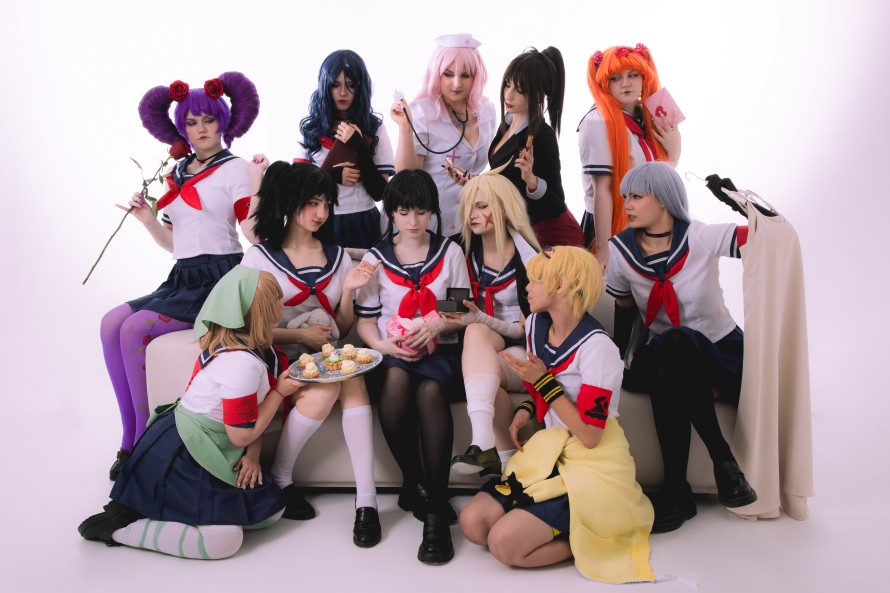
I’m so happy to see this!! I think that everyone involved did an absolutely amazing job with their cosplay!! It makes me so happy to see such a large group of people all doing very high-quality Yandere Simulator cosplay together!!
There are a lot of small details to enjoy here – like how Hanako is holding a rabbit doll. This is a reference to the fact that Hanako has a pet rabbit. This demonstrates that the cosplayer has deep knowledge of the character she’s cosplaying!
The cosplay group got into some really creative poses – like this one here, where everyone is lying on the ground in a circle!
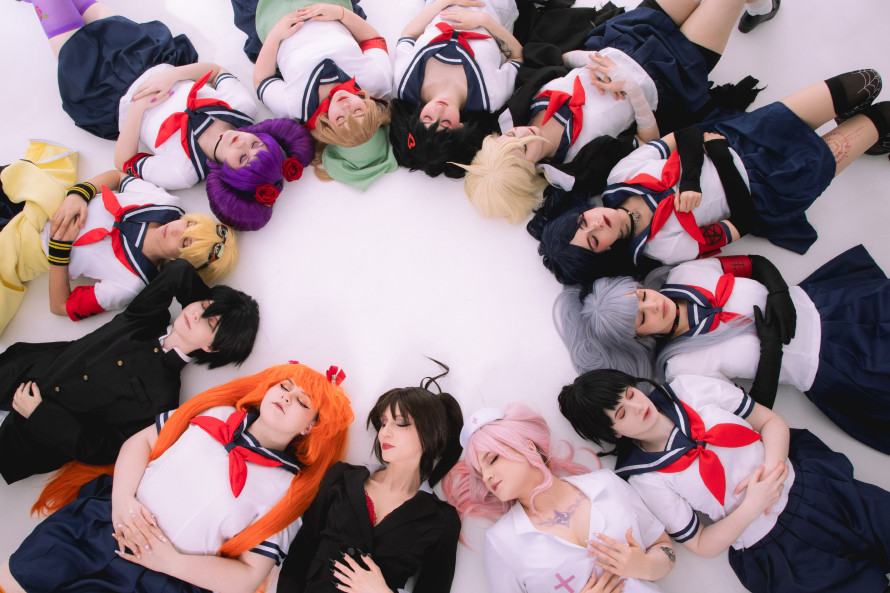
AH! I LOVE IT! It makes me so happy to see how creative they got with the photoshoot! I could just compliment each person and photograph forever!
If you’d like to see more pictures from this photoshoot, I’ve uploaded the images they shared with me to a gallery here:
I’d love to link to more of this amazing group’s work, but I’m told that the cosplay group doesn’t have an official page (yet). So, as far as giving credit, the most I can do is to share the Ayano cosplayer’s Telegram channel: https://t.me/maricosplay
And the photographer’s Telegram channel, too: https://t.me/TGK_Rozovogo_Meshka
Okay! Now that I’ve shared that amazing cosplay with you, it’s time to move on to the changelog! Click “Continue Reading” to see it!
New Amai Voice Lines and Animations
The Wednesday Lunchtime “Amai talks to Senpai about the food her made during her cooking class” event now has animations and voiced lines!
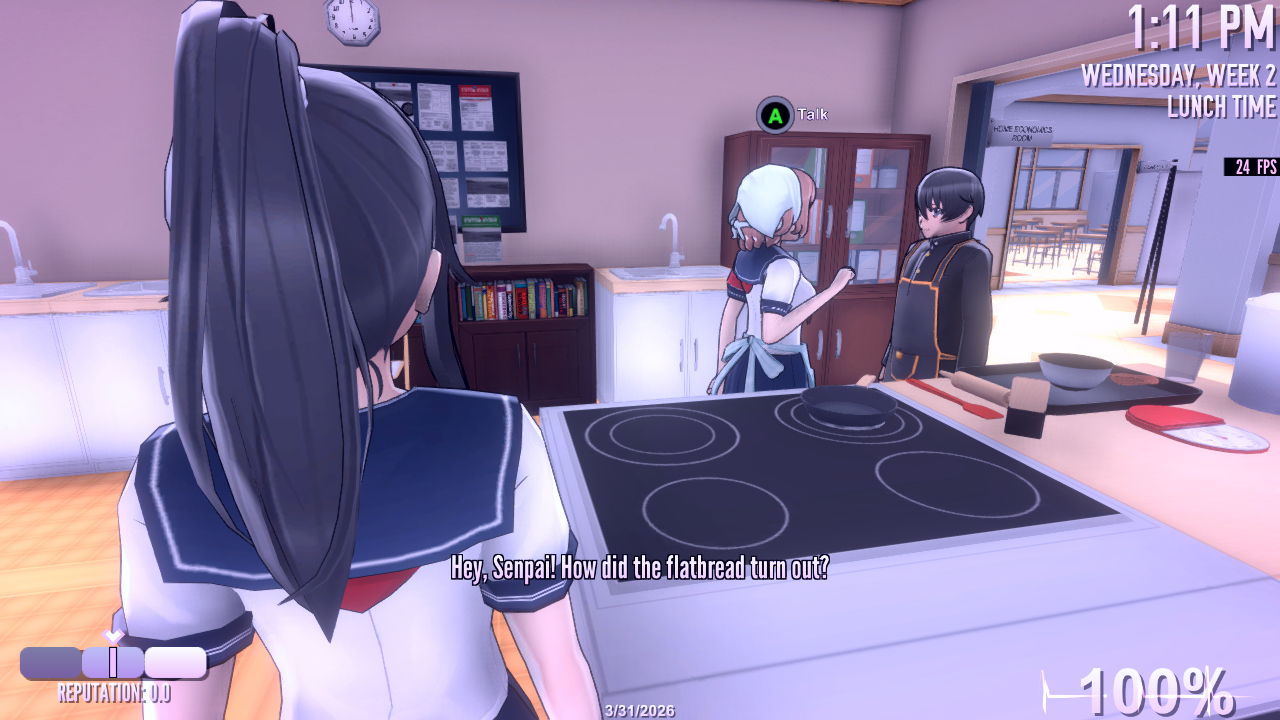
Actually, a ton of Amai voice lines were recorded this week, but haven’t been added to the game yet. I’m planning to include them in the next update, as long as nothing higher in priority takes my time away.
Anniversary Update
There is now a person occupying the second hot air balloon that floats besides Midori’s balloon. Do you recognize him?
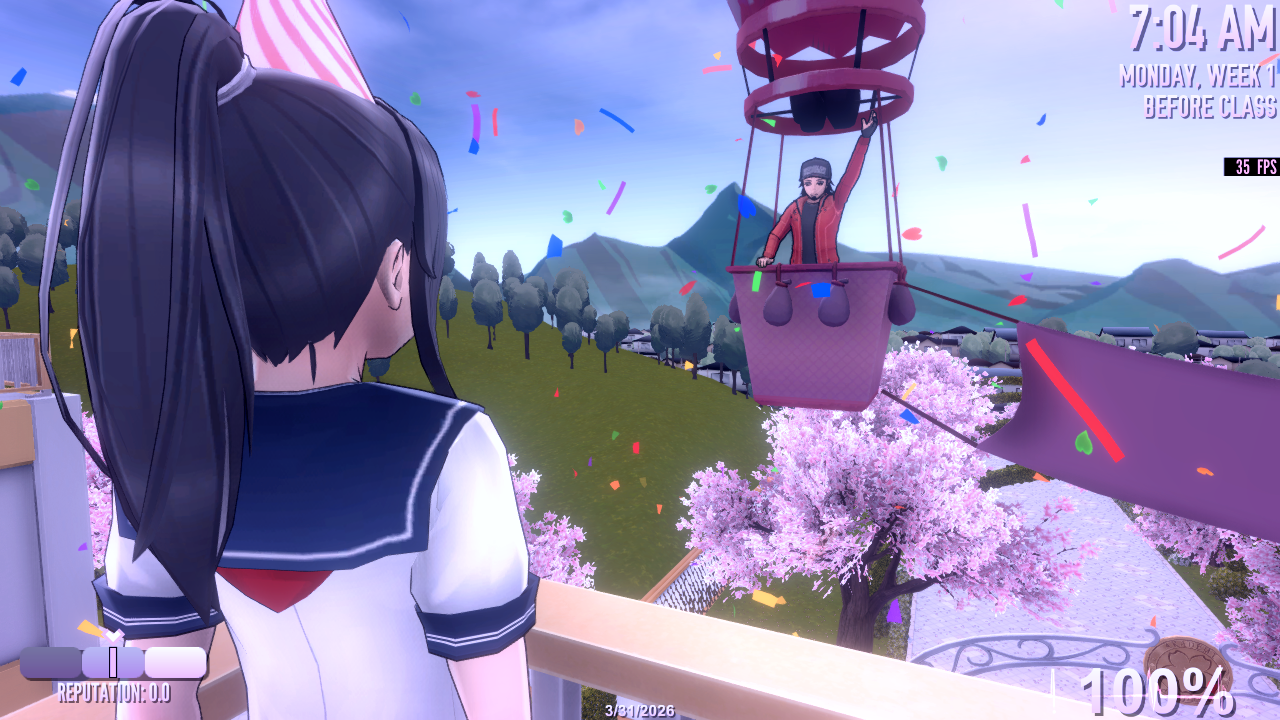
Also, the “waving from balloon” animation has been updated.
Improvements
- The “Reset Week” function was accidentally creating two backup saves when it only needed to create one backup save. This redundancy has been removed, meaning that using the Reset Week function is now 2x as fast!
- In 1980s Mode, when putting a note into a student’s locker, it was difficult to see the highlight, because the highlight was a white rectangle on a white background. The highlight is now much more visible.
- Shiromi’s scarf now has physics.
Custom Mode Changes and Fixes
It is now possible to drive a fragile student to commit murder in Custom Mode:
- Design a student with the “Fragile” Persona.
- Design another student’s routine to involve the “Bully” or Graffiti” action. This tells the game that this character is a bully.
- Befriend the Fragile student and the Bully student.
- Join the Photography Club to obtain a camera.
- Send the Bully to “Distract” another student.
- Take a photo of the Bully talking to the student they have been sent to Distract.
- Leave a note in the Fragile student’s locker about “Bullying” and arrange a meeting someplace private (such as the school roof, or behind the school).
- Tell the Fragile student to check their locker for the note.
- Once the Fragile student is in the meeting place, show the Fragile student the photo of the Bully talking to someone.
- The next day, the Fragile student will murder the student that the Bully was talking to.
Additionally…
- There is now some extra functionality on the “Schedule” screen: You can press the “X” button on your controller to change all of a student’s actions to the same action simultaneously, instead of having to change the actions one by one. (Also, you can press the “Z” key on your keyboard to change all destinations simultaneously.) Currently, this is just hidden debug functionality for bug testing; there is no prompt onscreen informing the player that this is possible. It might become official functionality in the future.
- When exiting the “set Student’s portrait pose” screen and returning to the “customize student’s appearance” screen, the student would perform their portrait pose instead of their idle animation. This bug has been fixed.
- If a student’s reputation was set so low that the game displayed a notification informing the player would be bullied, the notification’s text would go outside of the window. This bug has been fixed.
- If a student’s reputation was set to (-100, -100, -100), they would not spawn at school. This is no longer possible; now, the lowest you can set a student’s reputation is (-99, -99, -99).
- When choosing the pose that a male character would perform in his student info portrait, his custom facial expression would disappear. This bug has been fixed.
- If the player touched the control stick at all when customizing a student’s schedule or custom locations, the student would rotate. This bug has been fixed.
- Some student accessories (like rings and piercings) were invisible in the “student portrait” preview window. This bug has been fixed.
- When setting up a student’s daily routine, all of the “Actions” and “Destinations” are now in alphabetical order.
Censorship Option Update
- The “Hide Killing Animations” feature will now censor the sound of murder, and also censor screams, as well.
Adjustments
- Hazu’s student portrait has been updated.
Fixes
- If a student began walking toward the bake sale, and then the player went to class to advance time, and that student was involved in Amai’s cooking class event, the Bake Sale would become unable to advance. This bug has been fixed.
- In the tutorial, if the player zoomed the camera in as far as possible and then ended a tutorial, the game’s depth-of-field effects would be incorrect upon returning to the tutorial menu. This bug has been fixed.
- If the player stepped into an “Emergency Shower” (located in the chemistry room) while wearing a raincoat, their school uniform would clip through their raincoat upon exiting the shower. This bug has been fixed.
- During the Alphabet Killer Challenge, if the player defeated a delinquent in the beat-em-up minigame and then used an amnesia bomb on him, he would still exit the school anyway. This bug has been fixed.
- At the Kokona Tutorial menu screen, if the player didn’t touch any buttons, Kokona’s animation would eventually stop, and she would just freeze in place forever. This bug has been fixed.
- In the “Traps and Immolation” tutorial, if the player performed the steps of the tutorial out of order, it would become impossible to complete the tutorial. This bug has been fixed.
- If the player enabled “Fog” in the settings menu and then entered first-person mode in 1980s Mode, fog would not be visible. This bug has been fixed.
- If the player attempted to open the Student Info Menu while in the protagonist’s bedroom, student profiles would not load. This bug has been fixed.
- If the player brought an object to a gazebo and then dropped it, the object would drop through the floor of the gazebo. This bug has been fixed.
- If the player zoomed the camera in all the way, it would go past its limit for 1 frame and snap back on the next frame. This bug has been fixed.
- If the player changed Ryoba into a towel and then laughed, her hair would clip through her body. This bug has been fixed.
- When Amai’s Monday morning phone call event began, she would teleport to her locker. This bug has been fixed.
- Activating Anniversary Mode would cause the Gaming Club to be shut down. This bug has been fixed.
- Some of the text in Amai’s subtitles was not accurate. These subtitles have been fixed.
- Fixed bug preventing the player from being able to complete the Insane Asylum mission.
- The protagonist’s bookbag was disappearing after Week 1. This bug has been fixed.
- The subtitles for Hazu’s task were inaccurate. This oversight has been corrected.
- Pose Mode stopped working in the previous build. Oops! It’s working again.
- Ajia’s kerchief was clipping into her hair. This bug has been fixed.