I hope that everyone had a wonderful Valentine’s Day yesterday! If you’re looking for a link to the latest downloadable build, it’s near the bottom of this blog post.
Here’s what I managed to get done over the past two weeks:
- NPCs now have a wider variety of reactions (weapon, blood, insanity, weapon+blood, weapon+insanity, blood+insanity, weapon+blood+insanity, etc.)
- There are now five different weapons in the game, and interfaces for switching between weapons on both Gamepad and PC.
- Added multiple graphics quality settings and the ability to disable some of the game’s post-processing effects.
- NPCs now react differently if they witness you performing the same reputation-damaging action repeatedly.
- It is now possible for blood splatters to appear on any uniform, not just the default uniform.
- When speaking to an NPC, the player can now use the mouse to select dialogue options.
- Re-worked the way that the game selects the nearest person or object for interaction.
- Fixed the bug that allowed the player to farm infinite positive reputation points.
- It is now possible to navigate Yandere-chan’s smartphone menu using a gamepad.
- As time passes, the color of the sky and the scene lighting gradually change.
- All conversation options that are not yet implemented have been darkened.
- It is now possible to put your own school uniform texture into the game.
- Some weapons raise suspicion, others do not.
- The NPCs now have different hair colors.
I wanted to make more progress that this, but personal obligations have been keeping me away from Yandere Sim. I should have a lot of free time over the next 2 weeks, so hopefully the update on March 1st introduces some cool new features!
Weapon Select
I added 4 new weapons into the game. They are all “stabbing” weapons, so for now, they all use the same animation. The syringe should probably operate differently from the rest of the weapons; it can’t piece the brain or severe the spinal cord like the other weapons that Yandere-chan stabs with, so it should probably be used to inject oxygen into one of the victim’s arteries. Either that, or the syringe will inject a tranquilizer and knock someone out.
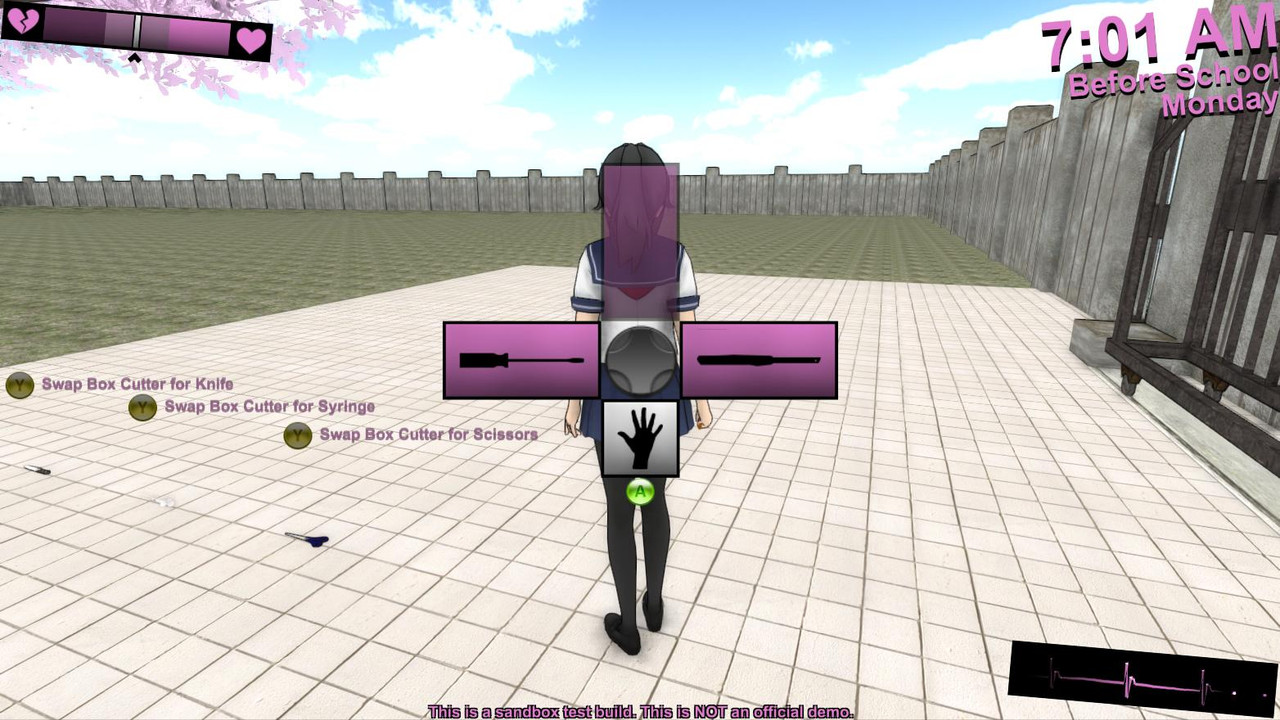
The reason that new weapons were introduced was so that I could test out a method for swapping weapons. Currently, Yandere-chan can only carry two concealable weapons around with her, and the weapon-swapping menu is as simple and minimalistic as possible to facilitate easily swapping between Weapon 1, Weapon 2, and empty hands.
None of this artwork is final, but here’s how it currently looks in-game:
Gamepad Version:
Keyboard Version:
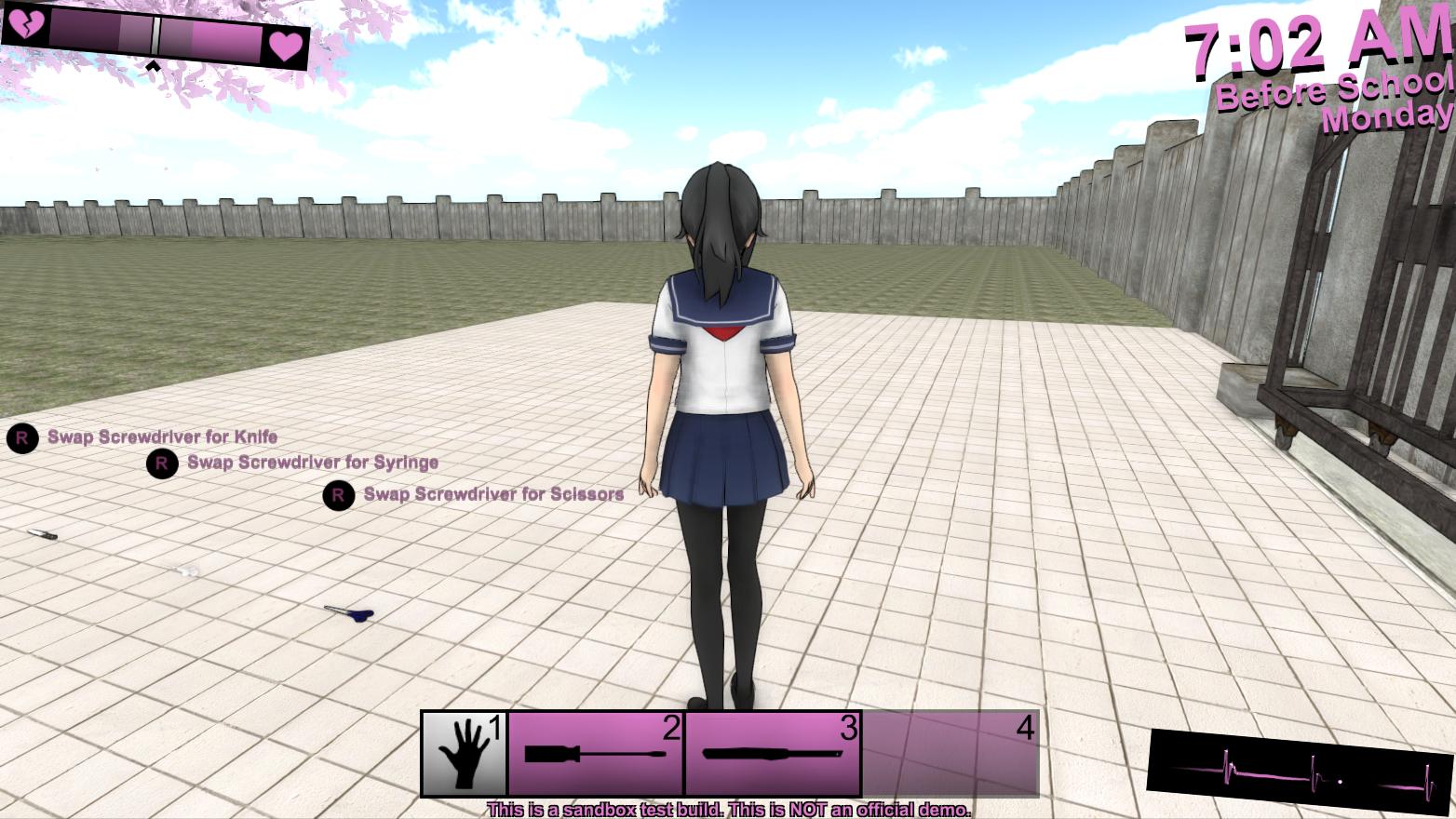
The space at the top of the gamepad version (or the far right of the keyboard version) is for a container. Yandere-chan can wear something on her back (like a cello case) where a much larger weapon (or a corpse) can be concealed. This feature isn’t available in the current build, though.
When Yandere-chan is carrying a large, non-concealable weapon, it won’t appear in the weapon menu. It will remain in her hands until she drops it.
Where exactly does Yandere-chan conceal her weapons? Well…
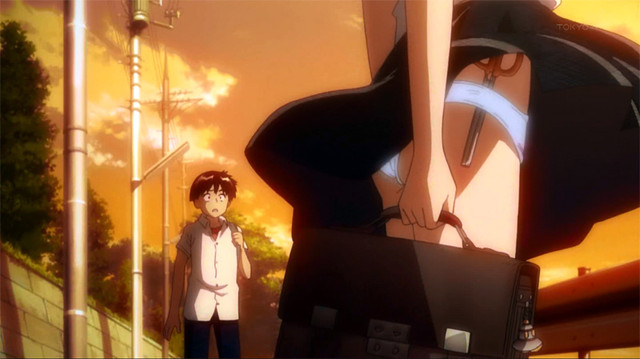
Ah, just look at the color of the sky in that image. That “golden hour” lighting is familiar to anyone who has watched an anime set in a high school. It’s that comfy lighting that you see when the day is winding down and students are walking home. Which brings us to the next new feature…
Dynamic Lighting
I managed to make the game’s lighting change as the day progresses. I don’t think this is a huge selling point of the game or anything, I just think it looks pretty, so I’d like to share it.
Custom Uniforms
A lot of people have been asking how “moddable” the final game will be. I can’t guarantee that anything will be moddable outside of art assets such as textures and music files, but I would like to make it easy to drop those sorts of things into the game. For now, I will give players the ability put a custom school uniform on Yandere-chan:
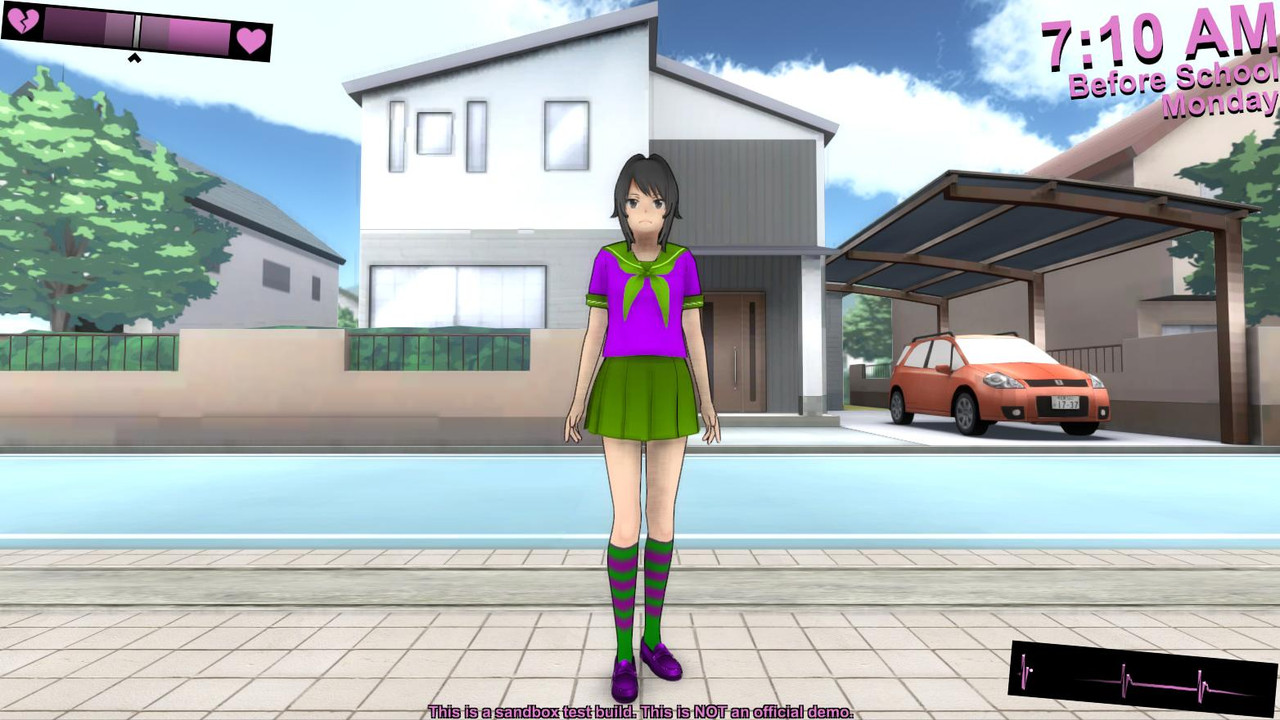
When you download the game (link below) you will be able to find a folder named “StreamingAssets”. If you put a texture named “CustomUniform.png” into this folder, the game will load that .png as Yandere-chan’s uniform. There is also a .png named “UniformTemplate” in the StreamingAssets folder that will show you how Yandere-chan’s uniform texture is set up.