The Bullies Mod is an add-on for Yandere Simulator that changes your gameplay by letting you take control and “put an end to the bullying” in-game. This tutorial shows exactly how to download the mod, install it into your Yandere Simulator directory, launch the game, and apply the provided bug fix for the pregnancy test issue (Kokoro’s task).
Download Links (MediaFire and Mega)
You can download the Bullies Mod from either link below.
| File | Download Link |
|---|---|
| BulliesMod.zip | Download via MediaFire Download via Mega |
Step-by-Step: Install the Bullies Mod
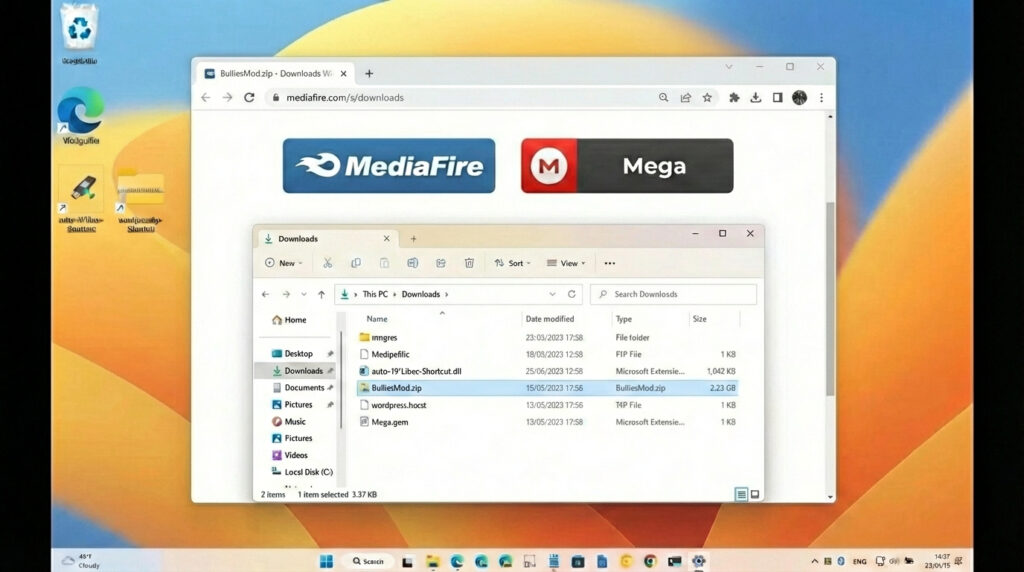
Step 1: Download the Bullies Mod ZIP File
What this step does: Gets the mod archive (BulliesMod.zip) onto your computer so you can install it into Yandere Simulator.
Actions:
- Open one of the download links from the table above.
- Download BulliesMod.zip to a location you can find easily (for example, your Downloads folder).
Notes / common mistakes:
- Only download from the links provided above to ensure you’re getting the intended file.
- Make sure the download finishes completely before moving to the next step.
Step 2: Unzip the Downloaded File
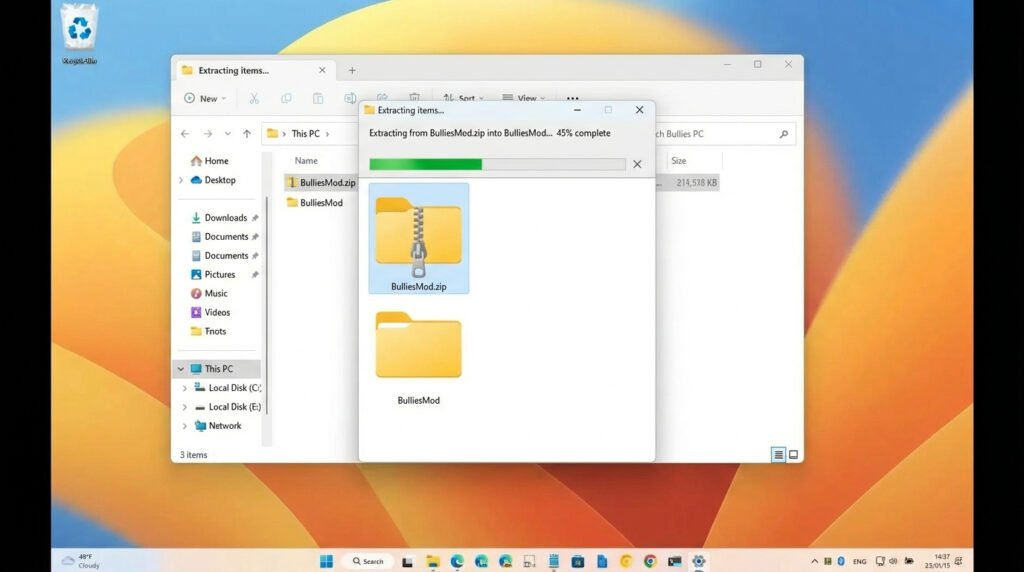
What this step does: Extracts the mod files so you can copy them into the Yandere Simulator directory.
Actions:
- Locate the downloaded BulliesMod.zip file.
- Unzip/extract it to create a folder containing the mod files (for example, a folder named BulliesMod).
Notes / common mistakes:
- Do not copy files directly from the ZIP without extracting, unless your system explicitly supports it—extracting first is the safest approach.
- After extraction, confirm you can see a folder named BulliesMod (or similar) that contains the mod files.
Step 3: Copy the Mod Files into the Latest Yandere Simulator Main Directory
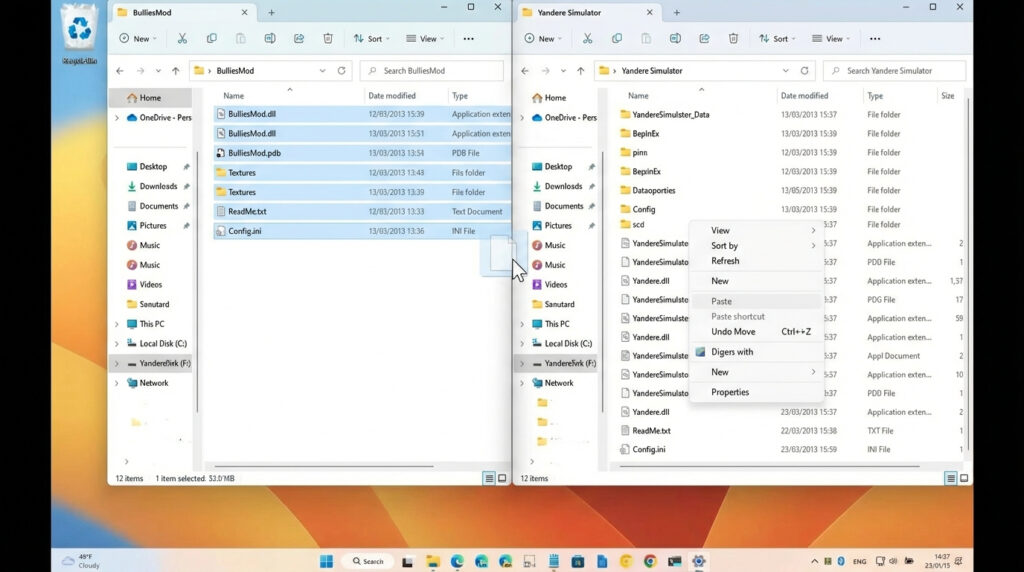
What this step does: Installs the mod by placing its files into the main directory of the latest version of Yandere Simulator.
Actions:
- Open the extracted BulliesMod folder.
- Select and copy all files inside the BulliesMod folder.
- Paste those files into the main directory of the latest version of Yandere Simulator.
Notes / common mistakes:
- Be sure you are pasting into the main directory for the latest Yandere Simulator version (not a random subfolder).
- If your system asks for confirmation to copy/overwrite, read the prompt carefully and proceed as needed to complete the install.
Step 4: Launch Yandere Simulator (Latest Version)
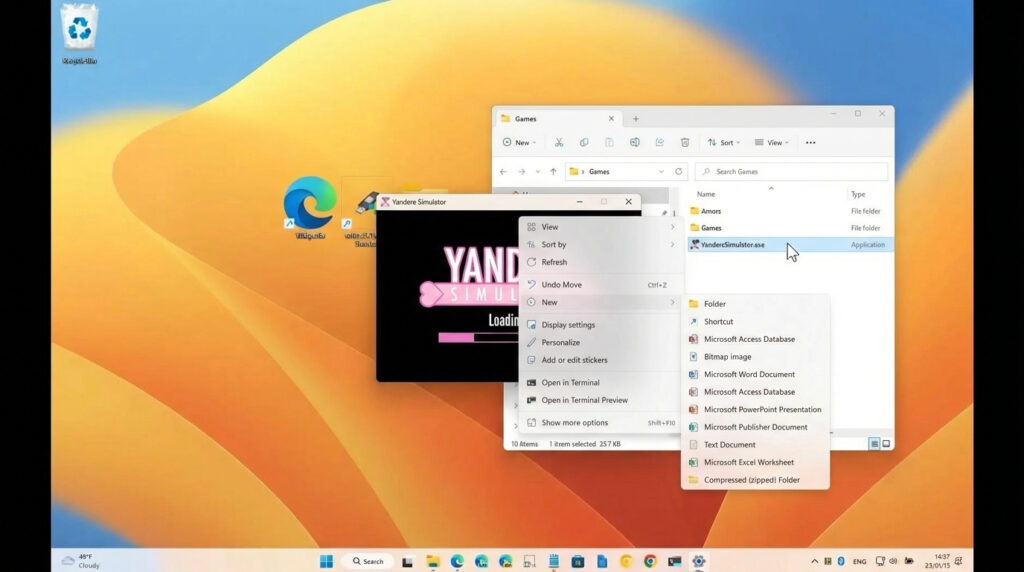
What this step does: Starts the game using the executable included in the Yandere Simulator folder so you can play with the mod installed.
Actions:
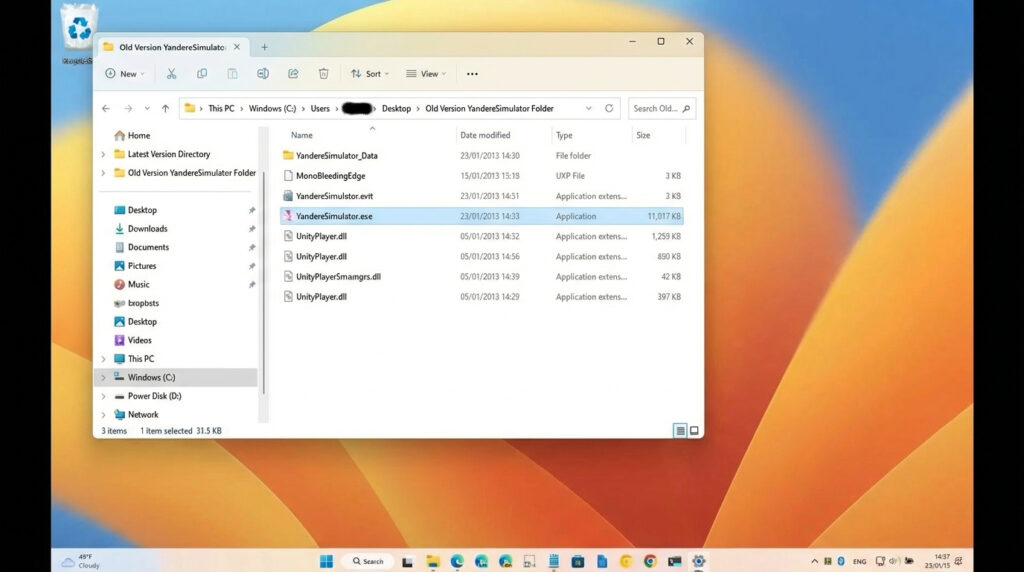
- Open the YandereSimulator folder.
- Double click YandereSimulator.exe in the YandereSimulator folder.
- Start playing Yandere Simulator.
Notes / common mistakes:
- Make sure you are opening YandereSimulator.exe (the game executable), not the ZIP file or the wrong folder.
Step 5 (Optional): Play an Old Version With the Bullies Mod
What this step does: Lets you launch an older version with the Bullies Mod by opening the included game folder and running the executable.
Actions:
- If you don’t want to play the latest version, open the YandereSimulator folder.
- Click YandereSimulator.exe.
- Play Yandere Simulator (old version) with the Bullies Mod.
Notes / common mistakes:
- This option is specifically for when you do not want to use the latest version.
- Make sure you’re launching the correct executable inside the correct folder.
Bug Fix: Pregnancy Test Not Buyable on the Street (Kokoro’s Task)
There is a known bug that prevents the player from buying the pregnancy test in the street for Kokoro’s task. Follow the steps below to replace one file inside the mod’s Managed folder.
Step 1: Download the Bug Fix File
What this step does: Downloads the replacement file needed to fix the pregnancy test purchase issue.
Actions:
- Download the Bullies Mod (if you haven’t already) using the steps above.
- Download the bug fix file from this link: https://mega.nz/file/5IJzkBhC#DQBG31xbFcHgGmQDU5uYWy-73Srpx0TCrZ_flhnqMo8
Notes / common mistakes:
- Do not skip the mod install—this fix is meant to be placed inside the Bullies Mod folder structure.
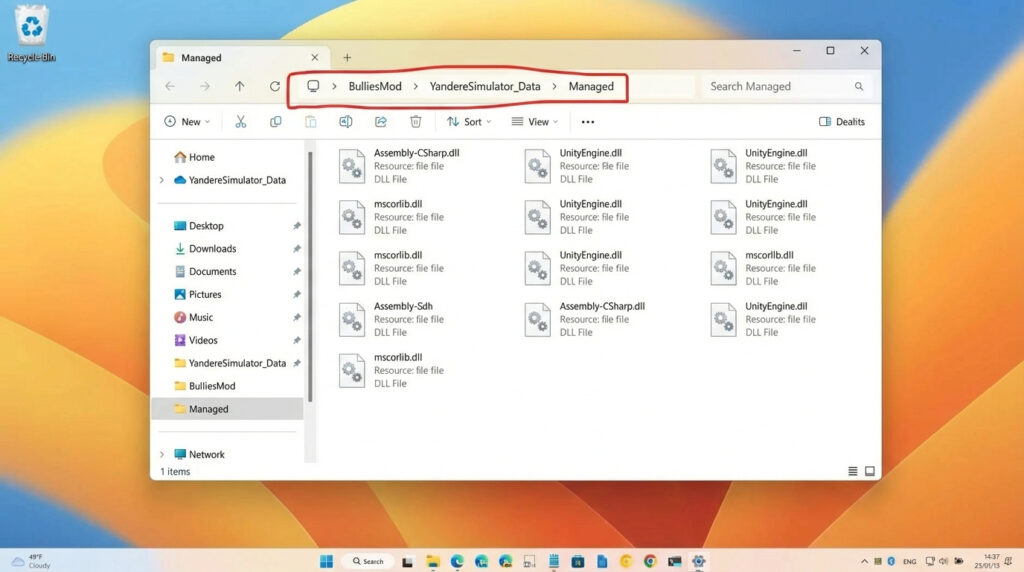
Step 2: Open the Correct “Managed” Folder
What this step does: Takes you to the exact directory where the replacement file must be placed.
Actions:
- Open the Bullies Mod folder on your computer.
- Navigate to: BulliesMod/YandereSimulator_Data/Managed
Notes / common mistakes:
- The folder name must match this path exactly: BulliesMod/YandereSimulator_Data/Managed.
- If you place the file in the wrong folder level (for example, not inside Managed), the bug fix may not work.
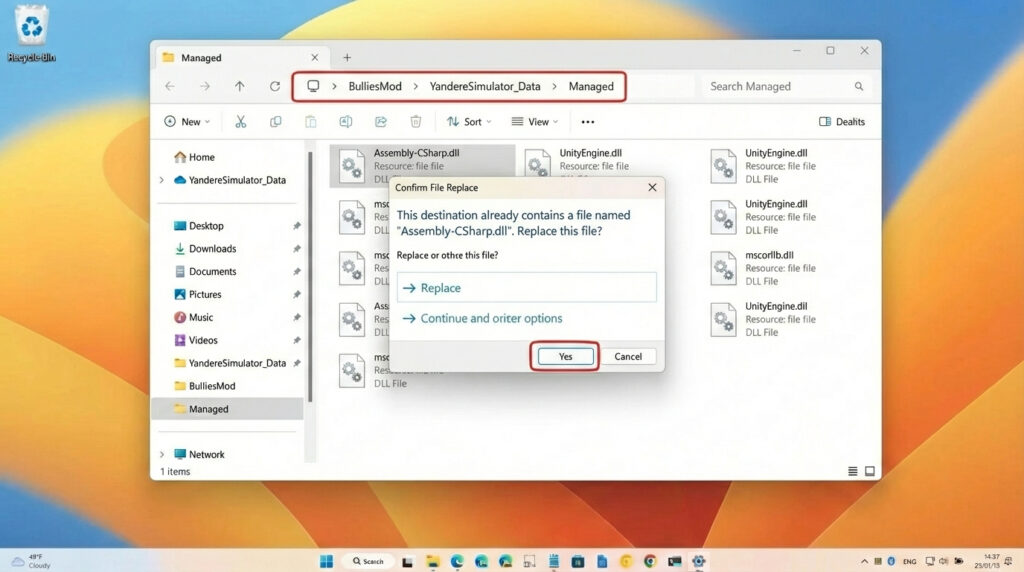
Step 3: Replace the File (Click “Yes” to Overwrite)
What this step does: Replaces the existing file in the Managed folder with the new one, applying the fix.
Actions:
- Place the newly downloaded bug fix file into: BulliesMod/YandereSimulator_Data/Managed
- When asked to replace the existing file, click Yes.
Notes / common mistakes:
- If you do not allow the file to replace the old one, the fix will not be applied.
- After replacing the file, launch the game normally using YandereSimulator.exe.
Quick Checklist
- Downloaded BulliesMod.zip from MediaFire or Mega
- Unzipped the file
- Copied all files from BulliesMod into the latest Yandere Simulator main directory
- Launched YandereSimulator.exe
- (Optional) Used the old version method by opening the YandereSimulator folder and running YandereSimulator.exe
- Applied the pregnancy test bug fix by placing the replacement file into BulliesMod/YandereSimulator_Data/Managed and choosing Yes to replace