3:10 AM EDIT: A bug-fixing build has been released to fix a black-screen bug involving the “customize Ayano’s hair” feature. Please re-download the game if you’re encountering that black screen bug.
Hello!
I’m quite pleased with myself today, because I finally crossed off some tasks that have been on my to-do list for a very long time:
- I completely re-factored the entire Schemes system so that, moving forward, it will be MUCH easier to add new Schemes to the game, including Schemes for future rival weeks.
- The “Schemes” feature is finally accessible during Amai’s week.
- I updated the “Ayano uses a corkboard to decide how to eliminate her rival” cutscene.
You might not have seen that third one coming! I’m actually so happy with how it turned out that I’m going to show you a video of it right now!
(The voice actress who has been providing voice lines for Ayano over the past year hasn’t been available over the past few weeks, so another voice actress was kind enough to supply placeholder voice lines that convey the general idea for the cutscene.)
For a thorough breakdown of everything that was added / changed / fixed / improved in the latest build, please click Continue Reading!
Let’s start off with the most significant accomplishment:
Schemes Overhaul
I made a lot of poor decisions when I originally implemented the Schemes system. For example, all scripts were written to expect all Schemes to always be in a specific order, meaning that it was not possible to add, remove, or re-order schemes without breaking many different scripts. Needless to say, this is a very poor coding practice, and for years, I knew that one day I’d eventually have to go back and refactor the entire Scheme system.
Well, I finally did it – I re-wrote the Scheme system, and did it right this time around. This enabled me to finally make some changes I’ve always wanted to make!
For starters, there is now a “sub-menu” where you decide what kind of Scheme you’re looking for:
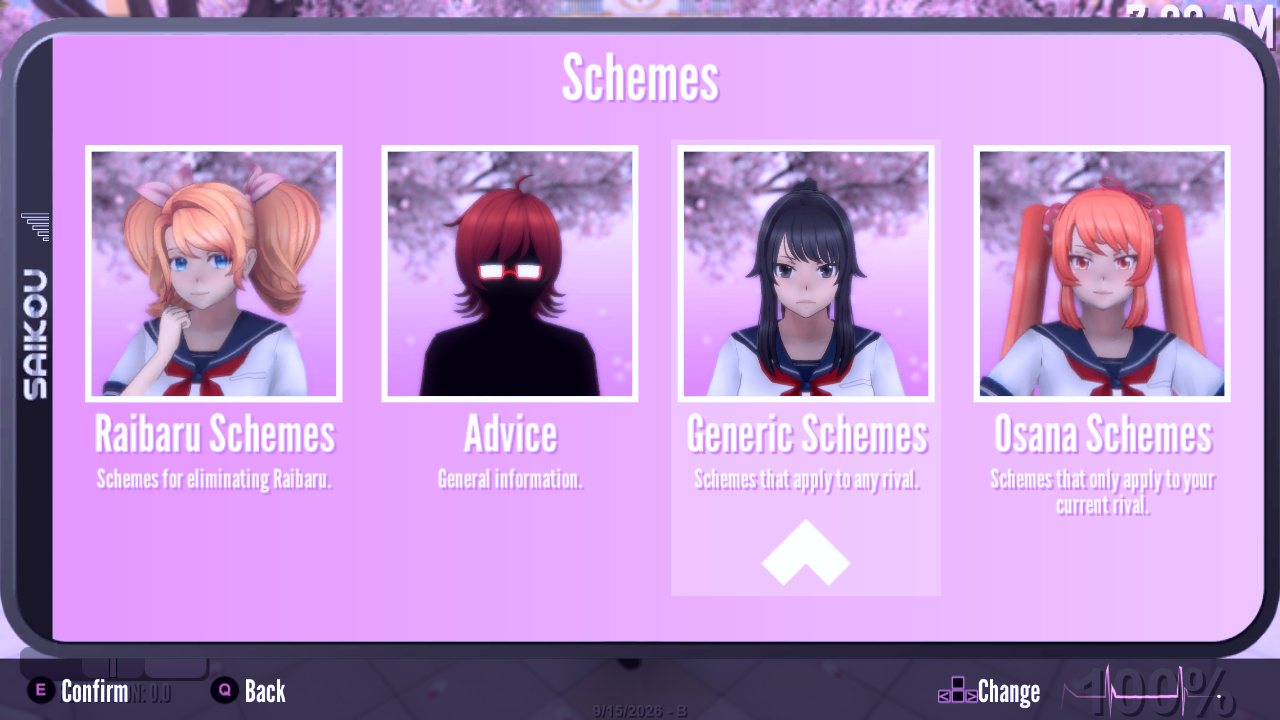
The options available in this sub-menu will change depending on what week it is:
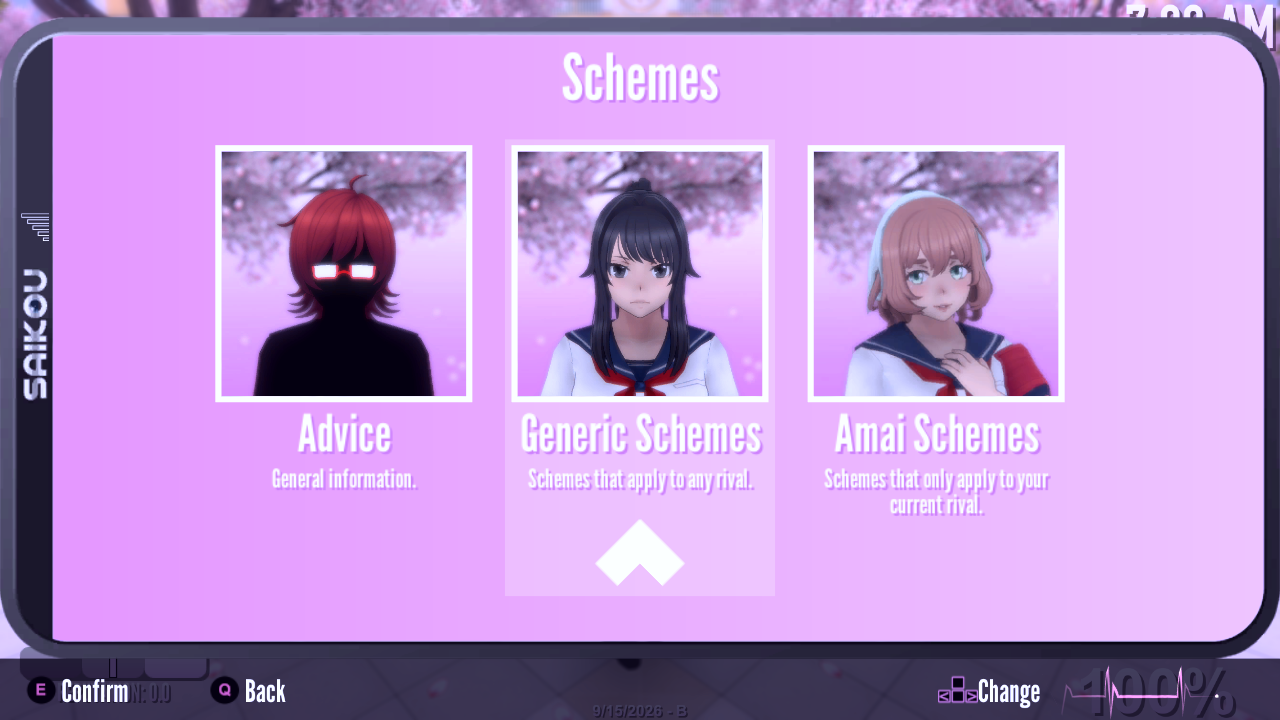
After all, there’s no reason to display Osana’s schemes during Amai’s week, right?
Where appropriate, the exact text of a Scheme will now change based on whether or not there are any week-specific details in it. For example, during Osana’s week, the Scheme for killing Osana with a weapon instructs you to get rid of Raibaru first. However, during Amai’s week, that text won’t be there.
While testing each of Osana’s Schemes to make sure that nothing broke, I decided to finally change something that was arbitrary and stupid and poor game design from Osana’s week; it is now possible to report any type of misbehavior to the guidance counselor on any day of the week, instead of only being able to report Theft on Tuesday, only being able to report Vandalism on Thursday, etc.
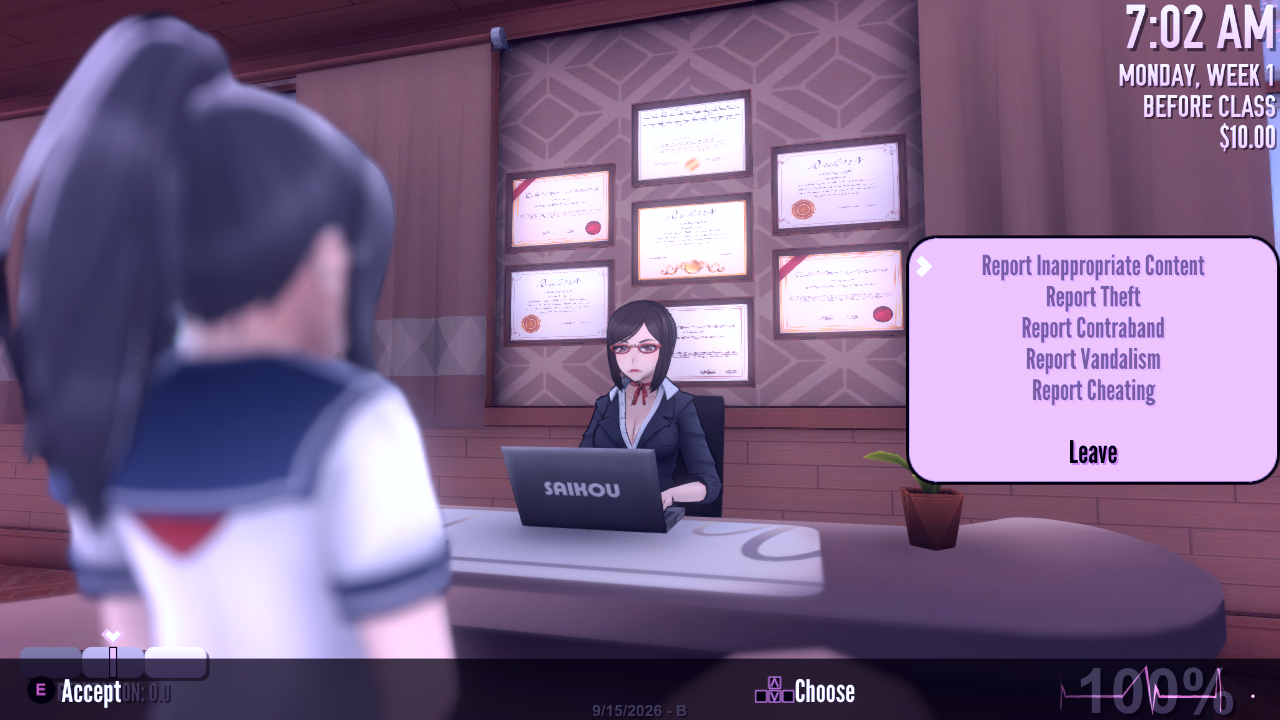
(This also means that now Osana accepts salty snacks every day of the week instead of only Thursdays.)
If you’re currently doing an “Expel” Scheme, pressing the “T” key will spawn a trail to your next destination. However, if you’re not doing an “Expel” Scheme, a message will appear at the top of the screen informing you that the “T” key is only applicable for Expel Schemes.
There were a bunch of miscellaneous changes, too – far too many for me to remember individually, but off the top of my head, I remember:
- The text for some Schemes has been re-written.
- There is now an additional Scheme for eliminating Raibaru – how to frame her for murder.
- One new piece of artwork was created – an icon for the “Kill Amai with a Gas Explosion” Scheme.
I finished refactoring the Schemes system with a few days left in the month, so I decided to use that time to do something I’ve been planning for a long time…
Corkboard Overhaul
The video up above really says it all, but just in case you want a text summary, I’ll spell it out for you…
Ever since the 2nd blog post I ever wrote on this blog, I’ve wanted the corkboard in the protagonist’s room to serve a more significant purpose. Instead of “It’s there so you can put pictures on it to roleplay as a serial killer” I wanted it to actually be used to communicate important information to the player and lead to a meaningful interface. So, I finally updated it!
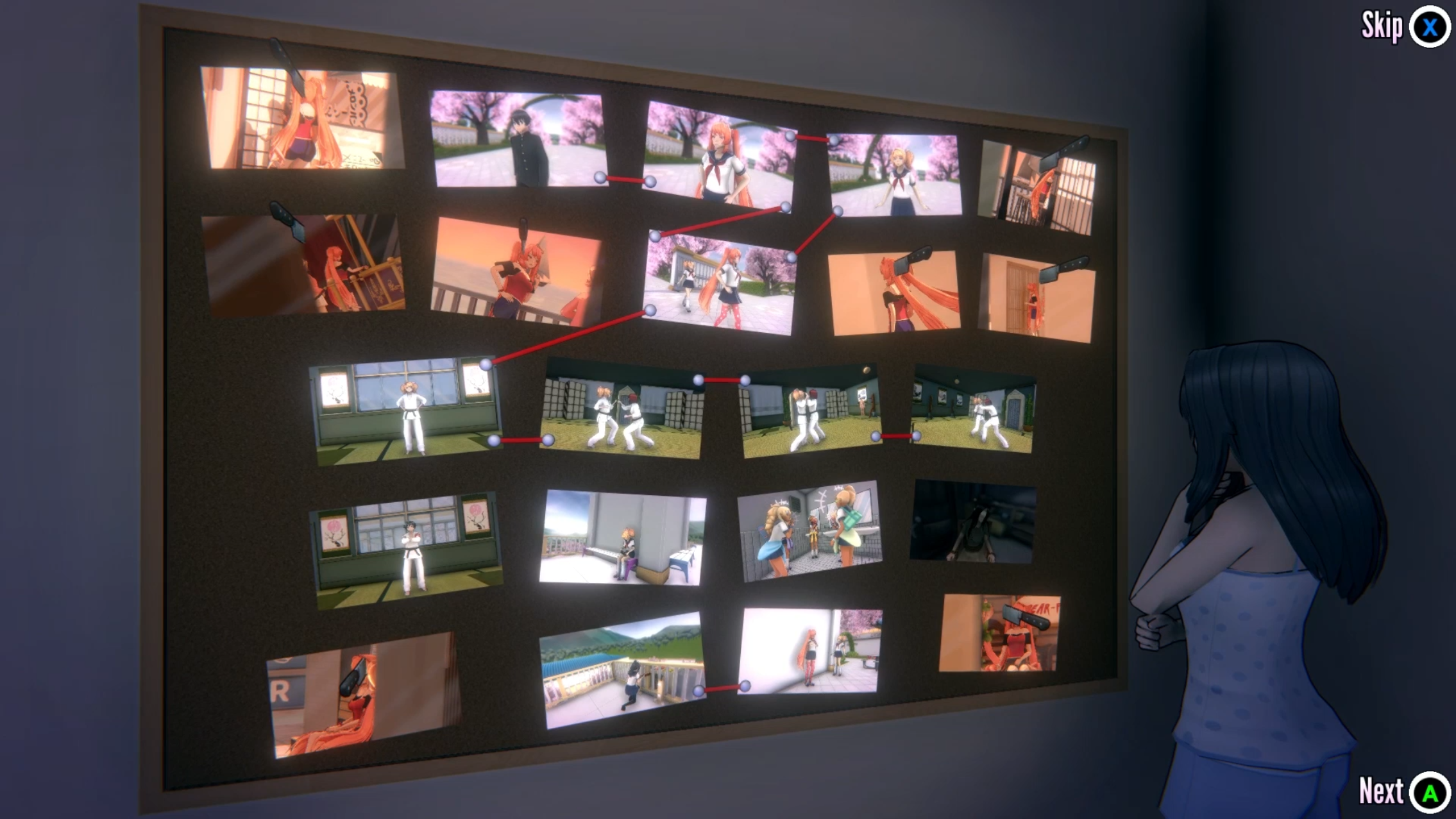
The original “Ayano was stalking Ayano outside of school and sneaking pictures of her” photographs are still there, but now the corkboard is primarily dominated by video clips of specific characters to communicate something specific about them.
“Does Ayano have magic moving photographs?”
No, the photographs are moving to make them more interesting to look at. It’s like how we see subtitles onscreen, but the actual characters of the game world don’t see words floating in midair.
Anyway, the purpose of this scene is to communicate to new players, “There’s a character named Raibaru that you’re going to have to watch out for, this game expects you to use strategy, and you can unlock instructions and walkthroughs in-game if you want.”
The scene still isn’t a 100% perfect match for how I envisioned it in my head, but I think it’s a huge improvement over the way it was before, so I’m content to leave it here for now.
Additional Animations and Voice Lines for Senpai
This was a last-minute addition to the build. The “Senpai follows a recipe and prepares a meal” event now has an additional voice line, and new animations for Senpai that play depending on whether or not you do or don’t sabotage his meal:
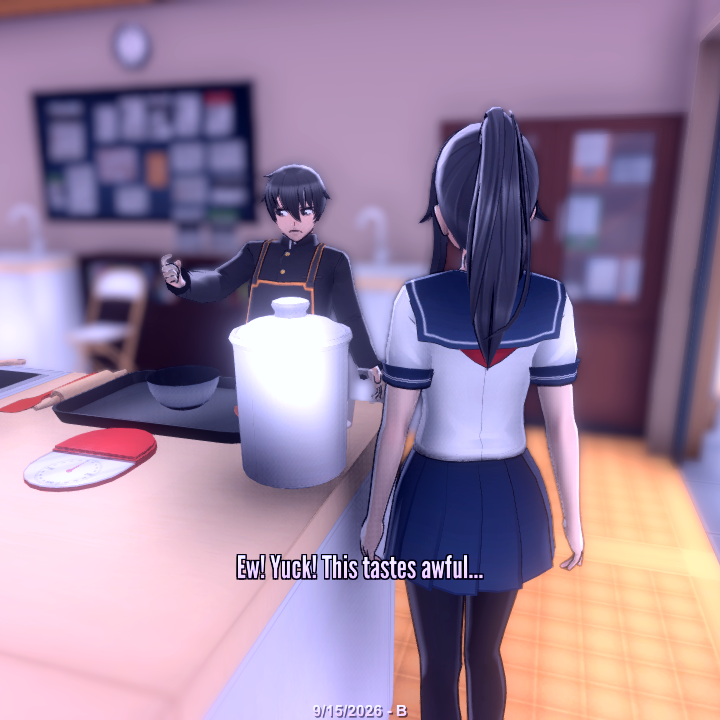
I hope you like this little addition!
Changes
- The words “Now Loading” now appear onscreen while the player is waiting for the game to load from the school environment into the home scene.
- The little Chibi Ayano that warns you about YouTube channel terminations now matches the game’s official art style more closely.
Fixes
- If the player put poison into a rival’s bento by reaching into her bento, the player would use up their poison, but the game would not update all other students’ bentos, meaning that the player could still poison other bentos even with zero poison. This bug has been fixed.
- In the cutscene that plays after Ayano has eliminated Amai, if the player had dyed Ayano’s hair blonde, Ayano’s hair would only be blonde for the first half of the cutscene and the blonde color would disappear in the 2nd half of the cutscene. This bug has been fixed.
- If the player eliminated Chigusa via a low reputation and then left school before Chigusa was wearing her swimsuit, Chigusa would be waring her school uniform and her swimsuit simultaneously in the End-of-Day cutscene. This bug has been fixed.
- The “Improve School Atmosphere” feature was locking atmosphere to 100% instead of the intended amount. (20%, plus an additional 10% for every level of Literature that the player has.) This oversight has been corrected.
- If the player chose to give Ayano blonde hair and/or custom hair, these choices would not be reflected in the “Ayano finds a sword under the cherry tree” cutscene. This bug has been fixed.
- During a cutscene where the guidance counselor lectures the current rival, one of the school’s doors would not render, displaying only a black void. This bug has been fixed.
- The male “bully giggling at bullied student” animation (only visible in Custom Mode) was set to play once instead of looping. This oversight has been corrected.
- If the player attended class while a student was investigating an object on the ground, the screen would turn white and never return. This bug has been fixed.
- After Chigusa changed into her swimsuit, her face changed back into the default face shape instead of her unique face shape. This bug has been fixed.
- If the player activated debug commands, it was possible to obtain the Genocide Ending. This was unintentional. This oversight has been corrected.
- In 202X Mode, if the player picked up a can of soda, their inventory would not update to display the can of soda. This bug has been fixed.
- One of the girls’ bathrooms had a 3D object from the adjacent hallway clipping into it. This oversight has been corrected.
- When seen from below, the Cooking Club members’ food was clipping through their trays. This oversight has been corrected.
- The “Skip” button was not appearing onscreen during the “Journalist arrests Ryoba” cutscene. This bug has been fixed.
- If the player killed Moeko with fire, she would scream with Amai’s voice. This bug has been fixed.
- One of Himedere’s rings was using the wrong shader. This oversight has been corrected.
- There were typos in Amai’s Schedules screen. These typos have been fixed.
What’s Next?
Let’s check out the “Pre-Kizana Checklist” and see where we are…
https://trello.com/b/ceQqQMhr/pre-kizana-checklist
The next thing I want to do is “Update the placement of students during Amai’s Week to make it more difficult for the player to kill her without witnesses.” It’s the bare minimum of what I consider absolutely mandatory to do before I shift my attention back to making YouTube videos.
There are a lot of features I really want to add to Custom Mode. I don’t want it to become a black hole that sucks up weeks and weeks of development time, but I do want to, at the very least, investigate whether or not any significant quality-of-life improvements can be added super quickly.
After I move students around and make some improvements to Custom Mode…yeah, it’ll be YouTube time, and then it’ll be Kizana time. Woo hoo!
Bottom-of-Blog-Post Fan Art Spotlight
Today, I want to share a bunch of TikToks with you!
Look at this amazing cosplayer!
This video is bittersweet, but great!
Check out these cosplayers!
Someone made this absolutely amazing Ayano figurine!! Whoa!!
Another Ayano figurine!! I love all of them!!
And here’s what Yandere Sim might look like as a vintage manga!
https://www.tiktok.com/@nenekinsuu/photo/7675429047010200862
I’ve got so many more than that to share, but that’s where I stop for today.
Thank you for following the development of Yandere Simulator!